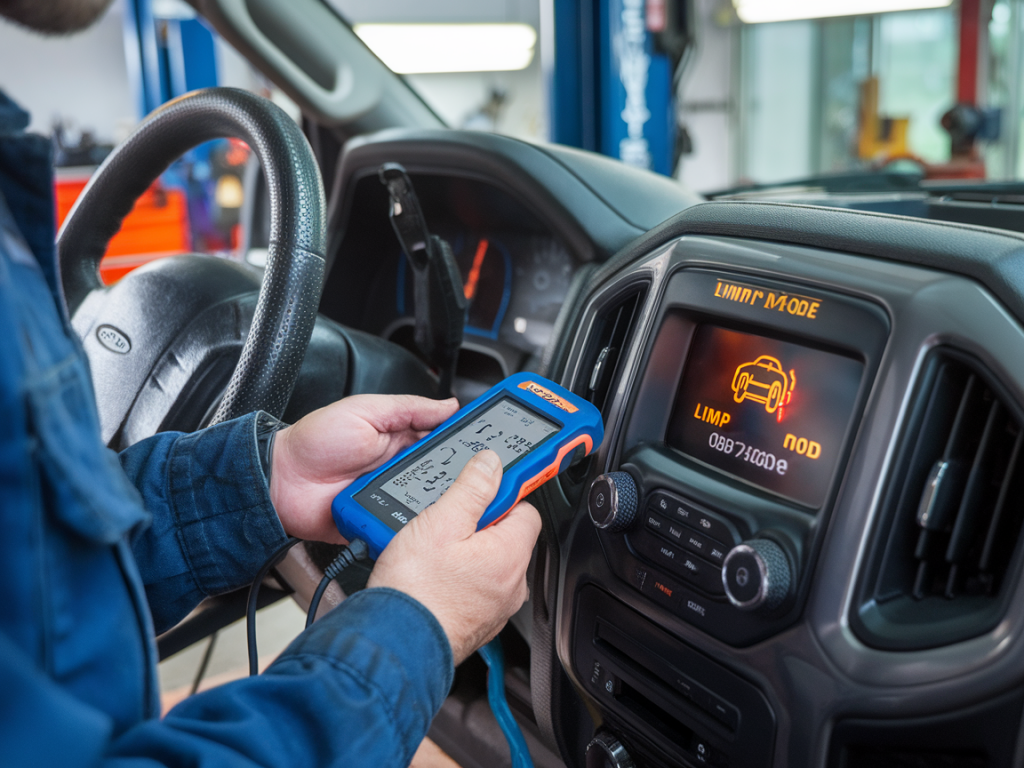
I’ve lost count of how many times a concerned driver called me to say their car had gone into limp mode and a dreaded “check engine” light was glowing. The panic is real: limp mode makes you feel like your car is dying mid-journey, and the first thought for many is “I need a tow and a huge repair bill.” Over the years I’ve learned that a cheap OBD2 scanner can often be the fastest, most cost-effective way to diagnose limp-mode faults — and in many cases avoid unnecessary repairs. In this piece I’ll walk you through how I use budget scanners to decode limp-mode events, what data I trust, and when to stop and get professional help.
What is limp mode and why it happens
Limp mode (also called “limp home mode”) is a protective measure built into modern cars. When the ECU detects a fault that could damage the engine, transmission or emissions system, it reduces power, limits RPMs, and sometimes locks the transmission into a single gear. The purpose is to let you reach a safe destination without causing worse damage. Common triggers include serious sensor failures, transmission faults, turbocharger issues, or major misfires.
Understanding limp mode starts with understanding that the car’s computer is trying to protect itself. The fault that triggered limp mode will usually generate one or more diagnostic trouble codes (DTCs) — and that’s where an OBD2 scanner becomes useful.
Why a cheap OBD2 scanner is often enough
High-end factory tools are great, but for many limp-mode events a basic code reader or inexpensive ELM327-style scanner will give you the information you need to make an informed next step. For under $30 you can get a device that reads standard DTCs, shows pending and stored codes, and sometimes offers live data PIDs (engine RPM, coolant temp, MAF, throttle position, etc.). That’s often enough to:
- See the code that triggered limp mode
- Check freeze-frame data to know the exact conditions when the fault occurred
- Watch a few live PIDs to confirm a sensor reading or mechanical problem
Cheap scanners I’ve used reliably: generic ELM327 Bluetooth dongles paired with apps like Torque Pro (Android) or OBD Fusion (iOS), the CAN OBD II readers from options like Foxwell NT301 or Autel AL319 (the latter is slightly more than the cheapest but still budget-friendly). Devices like BlueDriver and Autel’s higher-tier readers give enhanced codes and guidance, but they aren’t necessary for every limp-mode event.
Basic workflow I follow when limp mode appears
When a driver calls me or I encounter limp mode myself, here’s the workflow I follow using a cheap scanner. It’s fast and prevents a lot of guesswork.
- Park safely and turn the ignition to ON (engine off) — this supplies power to the ECU without restarting the car.
- Plug in the OBD2 adapter (usually under the dash). Launch the app or turn on the code reader.
- Read stored and pending codes. Document the code(s) verbatim (e.g., P0700, P0128).
- Check freeze-frame data if available — this shows RPM, coolant temp, load, etc., at the moment the code set.
- Look at live data for suspect sensors while the engine is running (if safe). Key PIDs: coolant temp, intake air temp, MAF, throttle position, fuel trims, RPM.
- Decide: can I clear the code to test if it returns, or is the symptom severe enough to get to a shop?
How to interpret common limp-mode codes
Some codes frequently cause limp mode. Here are a few I run into and how I interpret them:
- P0700 — Transmission control system malfunction. This code means the transmission control module (TCM) has stored a fault. It doesn’t tell you what the transmission issue is; you’ll need a transmission-specific scanner or to read codes from the TCM. If you see P0700 plus hard gearbox symptoms, don’t ignore it.
- P0128 — Coolant thermostat not reaching operating temperature. Often this is a stuck-open thermostat. It may trigger limp mode on some vehicles if the engine cannot reach correct temp. This one is usually cheap to fix.
- P0325-P0339 — Knock or crank/cam sensor faults. These can cause power reduction to protect the engine. Sensor replacement is a common fix.
- P0101, P0102 — MAF sensor or intake airflow issues. Dirty MAFs are very common and often the cause of limp-like symptoms with poor power and drivability.
Using freeze frame and live data to avoid a misdiagnosis
Code text alone can lead you down the wrong path. That’s why I always check freeze-frame and live data before ordering parts. Freeze-frame tells you the conditions when the fault set — for example, if the coolant temp was low, maybe the car was cold and a thermostat set a transient code. Live data lets you watch sensors in real time to confirm a fault.
Examples of what I look for:
- If you get a misfire code but fuel trims are normal and the MAF looks fine, it could be an ignition issue rather than fuel delivery.
- If a MAF code appears and live MAF voltage/grams per second stays near zero at idle, you likely have a dirty or failed MAF.
- Transmission limp mode with P0700 — check engine RPM, speed sensor, and shift solenoid activity if your scanner can show it. If you only see P0700, you’re better off taking the car to a shop with a transmission scanner.
When to clear codes and when not to
Clearing codes is a valid diagnostic step — it resets the ECU and lets you see whether the fault returns. But use this carefully:
- Do clear codes to test if a one-off event (temporary sensor glitch) caused limp mode.
- Don’t clear codes before recording them — you’ll lose useful data like freeze frame and the historic code trail.
- Be cautious clearing codes if the car is in limp mode and shows dangerous behavior. Some systems need a persistent code to steer diagnostics and driveability; clearing can mask intermittent faults.
Limitations of cheap scanners — and when to see a pro
Cheap readers have limits. Many cannot access manufacturer-specific modules (transmission, ABS, airbag), can’t display advanced PIDs, and won’t provide repair tips or live waveform graphs. If you encounter any of the following, I recommend a shop visit:
- Transmission limp mode with P0700 plus harsh shifting or locked gears.
- Major misfire codes with high fuel trims or cylinder-specific knock codes.
- ABS or traction control limp modes that affect braking or steering.
- Codes that keep returning immediately after clearing — indicates a real, persistent fault.
Practical tips and safety notes from my garage
Here are practical things I do and advise readers to do:
- Always keep a basic OBD2 reader in the car. It’s saved me and friends from unnecessary tows more than once.
- Take screenshots or photos of the codes and freeze-frame. If you go to a shop, the tech will appreciate the info.
- If you test live data on the road, do it safely with a passenger or a stationary test at low speed — don’t let an app distract you while driving.
- Replace cheap sensors like MAFs and thermostats only after confirming the readings. Too many people replace parts based on the code alone and waste money.
Quick comparison: cheap OBD2 options I use
| Device | Pros | Cons |
|---|---|---|
| ELM327 Bluetooth + Torque Pro | Very cheap, live PIDs, customizable dashboard | Variable quality, occasional compatibility quirks |
| Autel AL319 | Handheld, reads/clears codes, built-in screen | Limited advanced data, small display |
| BlueDriver (mid-price) | Enhanced codes, good app, reliable | More expensive but still affordable |
Using a cheap OBD2 scanner isn’t about replacing a mechanic — it’s about getting the facts fast so you can avoid unnecessary repairs and make smarter decisions. I always start with the simplest checks: read the codes, check freeze-frame, watch live data, then decide whether a repair is obvious and affordable or whether the car needs professional diagnosis. That approach keeps costs down, reduces worry, and gets you back on the road sooner.